

For years, spotting a digital scam was relatively simple. You looked for obvious spelling errors in an email, a robotic voice on a phone call, or a suspicious attachment from a prince asking for a wire transfer. Today, generative artificial intelligence has fundamentally changed the rules of digital safety.
Cybercriminals no longer need to be master coders or social engineering experts to breach your devices. By leveraging the same large language models (LLMs) and generative AI tools that power modern productivity apps, identity thieves can generate flawless, hyper-personalized phishing emails, clone the voices of your loved ones, and automate password attacks at an unprecedented scale.
As these next-generation threats shift from enterprise targets to everyday consumers, relying on basic antivirus software is no longer enough. Your mobile phones, laptops, and smart home gadgets are the new front lines.
This guide breaks down exactly how AI-powered hacking attempts work, what they look like in the real world, and the practical, actionable steps you can take to lock down your digital identity.
The Evolution of Cybercrime: How AI Changes the Game
Artificial intelligence does not inherently create new types of crime; rather, it supercharges existing ones. In the past, crafting a convincing spear-phishing campaign required hackers to spend hours researching a specific target. Now, AI can automate that research in seconds.
By scraping public social media profiles, professional directories, and breached data databases, an AI system can cross-reference your digital footprint. The result is an attack tailored specifically to you, delivered directly to your smartphone or laptop, which bypasses traditional spam filters because it lacks the usual red flags.
AI also removes the language barrier for international cybercriminals. A scammer operating halfway across the world can prompt an AI tool to write an email that perfectly mimics the tone, vocabulary, and regional dialect of your bank, your boss, or your utility provider.
Top AI-Powered Threats Targeting Everyday Consumers
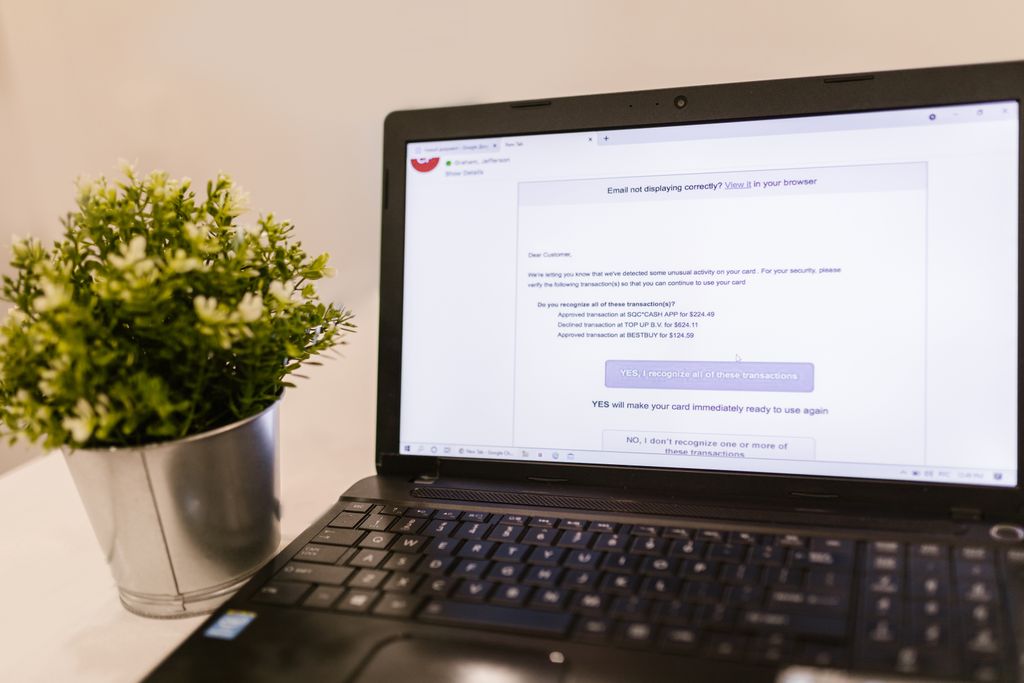
To protect your digital identity, you must first understand the specific tactics identity thieves are using. Here are the most prominent AI-driven threats targeting consumer devices today.
Deepfake Voice Cloning
Voice cloning is currently one of the most effective tools in a scammer’s arsenal. Using readily available, low-cost AI software, a malicious actor needs only a brief snippet of someone’s voice to create a convincing synthetic replica. Three to five seconds of audio—often pulled from a public TikTok, Instagram reel, or a compromised voicemail—is enough.
These clones are frequently deployed in “grandparent scams” or family-emergency ruses. Scammers spoof caller ID to make it look like a family member is calling your mobile phone, and the AI-generated voice claims to be in legal or medical trouble, demanding immediate financial assistance via untraceable methods like gift cards or cryptocurrency.
Hyper-Personalized Phishing and Smishing
Phishing (via email) and smishing (via SMS text messages) have evolved from mass, generic blasts into highly targeted attacks. Using LLMs, scammers generate messages that reference real details about your life.
An AI-generated text might mention your recent purchase at a specific online retailer, complete with a spoofed tracking link. Because the AI writes in perfect, conversational English, these messages easily trick users into typing their login credentials into fake websites designed to steal them.
Automated Credential Stuffing
When hackers obtain lists of usernames and passwords from corporate data breaches, they use automated botnets to test those credentials across thousands of other websites. AI algorithms are now being used to optimize these attacks.
Instead of just testing the exact stolen password, the AI analyzes patterns in how humans create passwords. If your leaked password was “Summer2023!”, the AI will automatically test variations like “Autumn2024!” or “Winter2025!” across your email, social media, and banking apps.
Deepfake Video and Synthetic Media
While still harder to execute flawlessly in real-time than audio, deepfake video is becoming a serious threat. Scammers use AI to alter video feeds during video calls or to create fake verification videos. Some identity thieves use synthetic faces to bypass biometric security checks on financial apps that require you to record a short video to prove your identity.
How AI Targets Your Specific Devices
Different devices present different vulnerabilities to AI-powered attacks. Understanding where your hardware is weakest is key to securing it.
Smartphones
Your mobile phone is the primary target for AI-driven social engineering. Because we read text messages and emails on small screens while distracted or on the go, it is much easier to overlook a slightly altered URL. Furthermore, mobile operating systems often hide the full web address in the browser bar, making it harder to spot a spoofed website generated by an AI phishing kit.
Laptops and Desktop PCs
Laptops are prime targets for AI-generated malware. Hackers are using LLMs to write malicious code that constantly mutates. This “polymorphic malware” slightly changes its core code every time it installs on a new device. Because traditional antivirus software relies on recognizing known code signatures, this AI-mutated malware can often slip past standard defenses entirely unnoticed.
A Practical Guide to Protecting Your Digital Identity
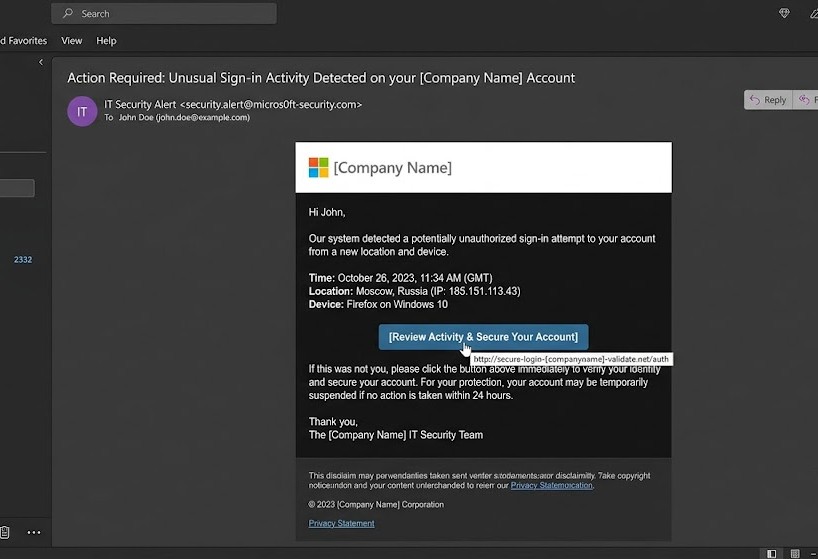
While AI threats sound intimidating, the defense against them relies on modernizing your basic digital hygiene. You can effectively shield your devices and personal data by implementing the following strategies.
1. Upgrade to Hardware-Based Two-Factor Authentication
Passwords alone, no matter how complex, are no longer sufficient. Two-factor authentication (2FA) is mandatory, but not all 2FA is created equal.
Scammers can easily intercept SMS-based text message codes through SIM-swapping or AI phishing sites. Instead, transition your most important accounts (email, banking, primary social media) to an authenticator app like Google Authenticator, Microsoft Authenticator, or Authy.
For the highest level of security, invest in a physical security key, such as a YubiKey. These USB or NFC-enabled devices must be physically tapped to your laptop or phone to grant access, making it virtually impossible for a remote hacker to log in, even if they have your password.
2. Transition to Passkeys
The technology industry is actively trying to eliminate passwords altogether through “passkeys.” Passkeys use the biometric sensors already built into your devices—like Apple’s Face ID, Android’s fingerprint scanner, or Windows Hello—to authenticate your logins.
Because a passkey is tied to your physical device and requires your unique biometric data, it is heavily resistant to AI phishing attacks. If a scammer tricks you into visiting a fake website, your device simply will not provide the passkey, stopping the attack in its tracks. Enable passkeys wherever they are supported, especially on your Google, Apple, and Amazon accounts.
3. Establish a Family Safe Word
To combat deepfake voice cloning, implement a low-tech solution: a family safe word. Discuss a specific, memorable word or phrase with your close family members offline.
If you ever receive a frantic phone call from a loved one asking for money or claiming to be in an emergency, ask them for the safe word. If they cannot provide it, hang up immediately and dial their number directly from your contacts.
4. Audit Your Digital Footprint
AI scammers need data to personalize their attacks. Limit the ammunition you give them.
- Set your personal social media profiles to private.
- Avoid posting high-resolution audio or video of yourself on public platforms if it is not necessary.
- Remove your phone number and home address from your public-facing accounts.
- Use data-removal services to scrub your personal information from data-broker websites.
5. Adopt a “Zero Trust” Mindset
Treat every unsolicited communication as hostile until verified.
If your bank emails you about fraud, do not click the link in the email. Open your web browser independently, type in the bank’s URL, and log in to check for alerts. If a recruiter messages you on LinkedIn with a job offer that includes an attachment, verify their identity before downloading anything. AI can fake the message, but it cannot change the official infrastructure of the service you are using.
Threat and Solution Summary
| AI-Powered Threat | How It Works | Best Defense Strategy |
| Voice Cloning | Uses short audio clips to spoof voices. | Family safe words; verifying by calling back directly. |
| Hyper-Phishing | Uses AI to write flawless, personalized scam emails/texts. | Never clicking direct links; verifying via official apps. |
| Credential Stuffing | AI guesses variations of your exposed passwords. | Unique passwords via a Password Manager; switching to Passkeys. |
| Polymorphic Malware | AI rewrites malware code to avoid detection. | Keeping OS updated; using modern, AI-enhanced endpoint protection. |
FREQUENTLY ASKED QUESTIONS
Can my antivirus software detect AI-generated malware?
Traditional, signature-based antivirus software struggles to detect AI-generated polymorphic malware. However, modern security suites from major providers (like Microsoft Defender, Bitdefender, and Malwarebytes) are integrating their own AI and machine learning tools. These tools monitor for suspicious behavior on your device rather than just looking for known malicious code, offering much better protection.
How can I tell if a voice on the phone is an AI deepfake?
Listen closely for unnatural pauses, lack of breathing sounds, or a slightly metallic, robotic cadence. AI voices also struggle to express complex, shifting human emotions naturally. If the caller creates extreme urgency and demands money via gift cards, wire transfers, or crypto, it is almost certainly a scam, regardless of how the voice sounds.
Are password managers still safe from AI attacks?
Yes, reputable password managers (like 1Password, Bitwarden, or Dashlane) remain incredibly safe and essential. Because they encrypt your data locally on your device, even if the company’s servers are breached, the hackers only get unreadable data. Password managers ensure you use a unique, complex password for every site, which completely neutralizes AI-driven credential stuffing attacks.
Is it safe to use biometric logins like Face ID or fingerprint scanners?
Yes, biometric logins on modern smartphones are highly secure. The biometric data is stored locally in an encrypted enclave on your device’s hardware; it is not sent to Apple’s or Google’s servers. This makes it incredibly difficult for a remote hacker to compromise, and it is a core component of moving toward a passwordless, passkey-driven future.
CONCLUSION
As artificial intelligence continues to evolve, the methods used by identity thieves will only become more sophisticated and harder to detect with the naked eye. The days of relying on spelling mistakes to spot a phishing email are over. However, by shifting your security mindset—adopting passkeys, utilizing hardware-based two-factor authentication, and implementing simple strategies like family safe words—you can effectively neutralize these AI cybersecurity threats. Protecting your digital identity does not require a degree in computer science; it simply requires leveraging the right modern tools to ensure that even the most convincing AI cannot access your data.