
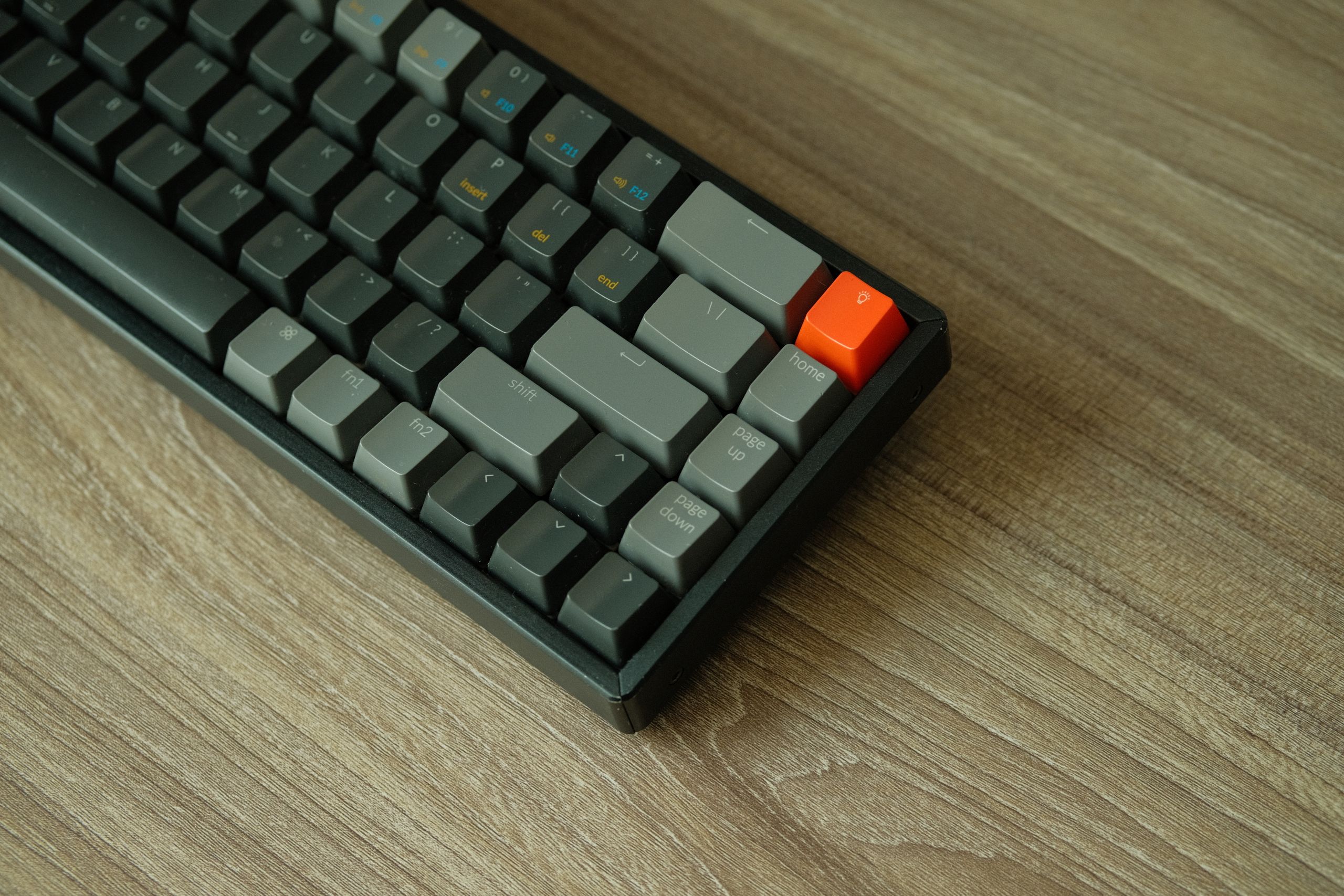
For over a decade, mechanical keyboards were aggressively marketed strictly to gamers. Flashing RGB lights, aggressive fonts, and sharp plastic angles dominated the aesthetic. But long before gaming peripherals became a multibillion-dollar industry, the mechanical keyboard was simply the standard tool for typing.
If you have ever visited a bank or a billing counter in India, you have heard the unmistakable, machine-gun clatter of the TVS Gold. It was heavy, indestructible, and offered a typing experience that modern laptop keyboards simply cannot match. Today, the mechanical keyboard has evolved again. Sleek, wireless models from brands like Keychron are taking over the desks of developers, writers, and everyday professionals.
Upgrading from a flat membrane keyboard to a high-quality mechanical model is no longer about gaming performance. It is about typing comfort, reducing finger fatigue, and creating a seamless workflow across your laptop, tablet, and mobile phone. Here is everything you need to know about making the switch.
Why Mechanical Keyboards Aren’t Just for Gamers
Most modern laptops and budget desktop setups use membrane or scissor-switch keyboards. These rely on a rubber dome beneath the keys that must be pressed all the way down to register a keystroke. Over time, this “bottoming out” causes finger fatigue and feels mushy.
Mechanical keyboards place an individual, physical switch beneath every single key. This design offers distinct advantages for professionals:
- Tactile Feedback: You feel exactly when a key registers, reducing typing errors and allowing for a lighter touch.
- Durability: A standard membrane keyboard lasts for about 5 million keystrokes. A standard mechanical switch is rated for 50 million to 100 million.
- Customization: You can choose exactly how much force is required to press a key, how much noise it makes, and what the keys feel like under your fingers.
- Ergonomics: The higher profile and sculpted keycaps guide your fingers naturally, reducing wrist strain during long coding or writing sessions.
The Legacy of the TVS Gold: India’s Indestructible Workhorse
To understand the modern mechanical keyboard renaissance, we have to look back at the original heavy-duty typing machine: the TVS Gold.
For a generation of Indian professionals, this keyboard was the definition of reliability. Built into a massive plastic chassis that practically doubled as a blunt weapon, the TVS Gold was designed to survive millions of rapid, forceful keystrokes from data entry operators, bankers, and programmers.
Its legendary status came from its internal hardware. Originally, the TVS Gold featured authentic Cherry MX Blue switches, the gold standard for clicky, tactile typing. Every keystroke was accompanied by a loud, satisfying click that echoed through office floors. While newer iterations of the TVS Gold have transitioned to more cost-effective switch clones (like Longhua or Kailh), the keyboard remains a testament to the fact that a dedicated typing tool is worth the desk space.
However, the TVS Gold has limitations in the modern workspace. It is massive, wired, lacks backlighting, and does not pair smoothly with modern mobile ecosystems without clunky adapters.
The Modern Era: Keychron and the Wireless Revolution
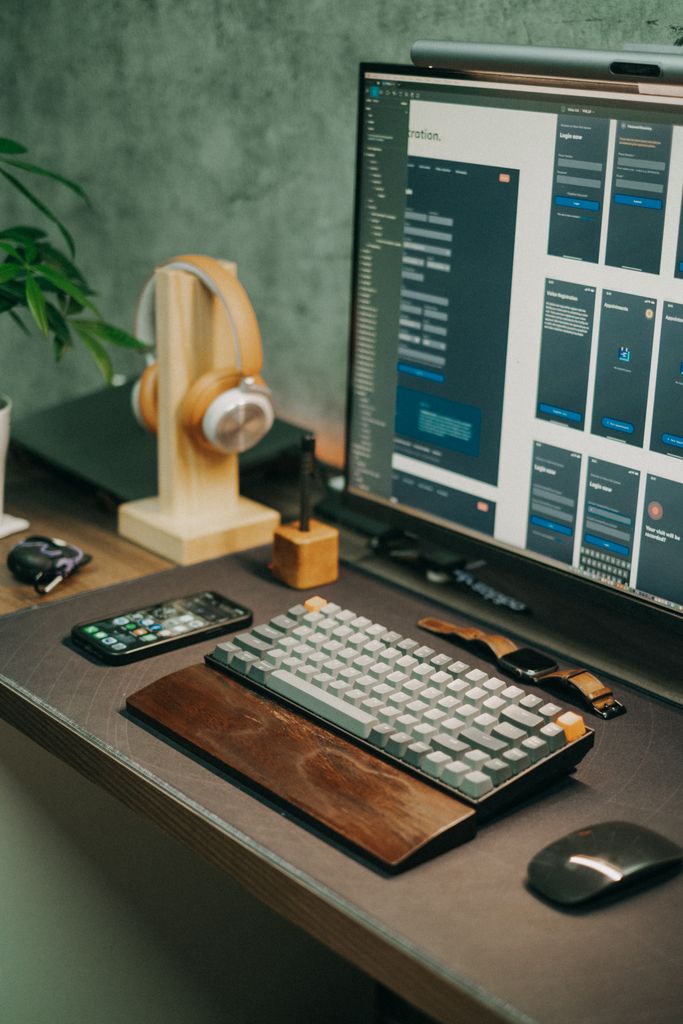
Today’s professionals demand flexibility. You might start drafting a document on a desktop PC, reply to messages on your mobile phone, and review code on an iPad. This is where modern mechanical keyboards, spearheaded by brands like Keychron, excel.
Modern mechanical keyboards have stripped away the aggressive gaming aesthetics in favor of minimalist, professional designs. Keychron, in particular, has popularized the productivity-focused mechanical keyboard by offering features that bridge the gap between heavy-duty typing and mobile versatility.
Multi-Device Mobile Connectivity
Unlike the legacy boards of the past, modern options feature Bluetooth 5.0 and beyond. You can pair a single Keychron keyboard with up to three devices simultaneously. A simple keystroke combination allows you to switch instantly from typing an email on your Windows laptop to firing off a text message on your Android mobile phone or iPad. This turns your mobile device into a genuine productivity machine.
Hot-Swappable Switches
You no longer need to know how to solder to customize your typing experience. “Hot-swappable” boards allow you to pull out individual switches with a small tool and press new ones into place. If you find your keyboard too loud for the office, you can swap the clicky switches for silent ones in a matter of minutes.
Native Cross-Platform Support
Historically, finding a mechanical keyboard that worked perfectly with Apple devices was difficult. Modern productivity boards include hardware toggles to switch between Windows/Android and macOS/iOS layouts, even including replacement keycaps for the Command and Option keys.
TVS Gold vs. Modern Keychron: A Comparison
If you are deciding between classic reliability and modern versatility, understanding the differences is key.
| Feature | Classic TVS Gold | Modern Keychron (e.g., K2 or V1) |
| Primary Use Case | Heavy-duty desktop data entry | Multi-device, cross-platform productivity |
| Connectivity | Wired (USB or legacy PS/2) | Wireless (Bluetooth) and Wired (USB-C) |
| Switch Options | Fixed (Clicky/Blue variants) | Hot-swappable (Red, Brown, Blue, etc.) |
| Mobile/Tablet Support | Poor (Requires OTG adapters) | Excellent (Direct Bluetooth pairing) |
| Build and Weight | Heavy, bulky plastic chassis | Compact, available in aluminum frames |
| Backlighting | None | White or RGB options |
Switch Types Explained: Finding Your Perfect Typing Feel
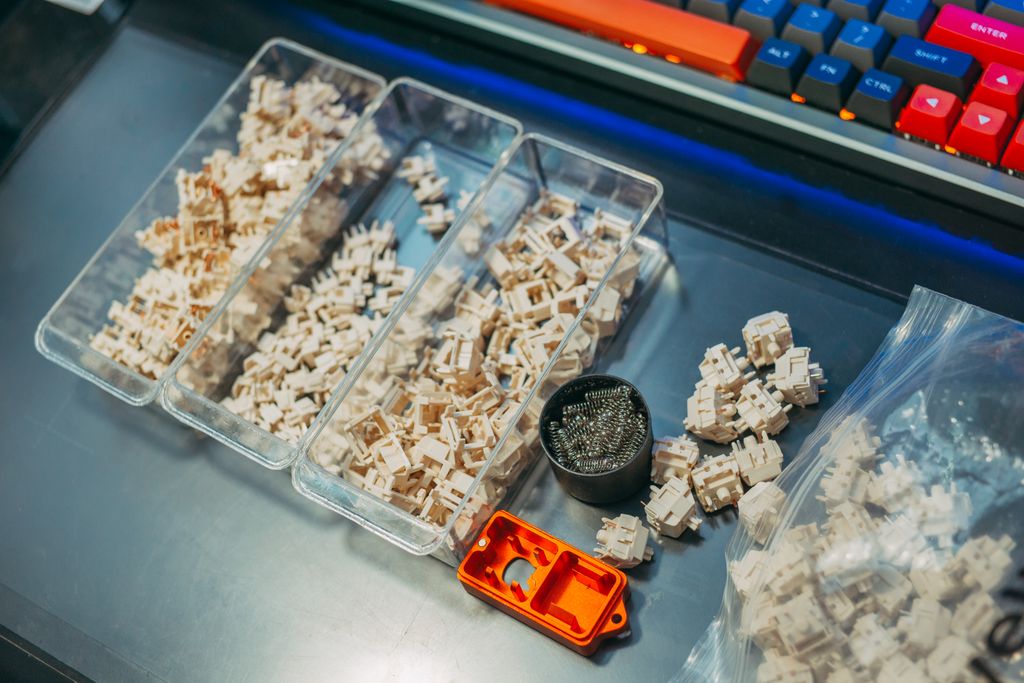
When buying a modern mechanical keyboard, your most important decision is the switch type. They generally fall into three categories, designated by universally recognized colors:
- Blue (Clicky): These switches offer a distinct tactile bump and a loud, audible click. They feel excellent for typing and resemble the classic TVS Gold experience, but they are often too loud for open-plan offices.
- Brown (Tactile): The most popular choice for general professionals. They provide a satisfying tactile bump so you know the key has registered, but they omit the loud click, making them safe for office environments.
- Red (Linear): These switches push straight down smoothly without a bump or a click. While favored by gamers for rapid key presses, many fast typists also prefer them for their buttery smooth feel.
How to Choose the Right Layout for Your Desk
You do not have to sacrifice half your desk to accommodate a great keyboard. Modern boards come in various sizes, often referred to by percentages:
- 100% (Full Size): Includes the number pad. Ideal for accountants and heavy data-entry workers.
- 80% (Tenkeyless or TKL): Drops the number pad but keeps the arrow keys and the row of function keys. A great balance of space and utility.
- 75%: Compresses the TKL layout so there is no empty space between the keys. This is the most popular layout for modern mobile professionals, popularized by the Keychron K2.
- 60%: Extremely compact. Drops the arrow keys and function row entirely. Best for minimalists and users who primarily type text rather than navigating spreadsheets.
FREQUENTLY ASKED QUESTIONS
Do mechanical keyboards work well with mobile phones and tablets?
Yes, modern Bluetooth mechanical keyboards connect seamlessly to Android and iOS devices. You can use standard keyboard shortcuts for copying, pasting, and navigating mobile operating systems, making your tablet or phone a viable laptop replacement.
Are mechanical keyboards too loud for an office environment?
Not necessarily. While classic keyboards using Blue switches are quite loud, modern keyboards equipped with Brown or Red switches, combined with sound-dampening foam, are often quieter than heavily pounded membrane keyboards.
Is the TVS Gold still worth buying today?
If you are building a stationary desktop setup on a tight budget and want maximum durability, the TVS Gold remains a viable workhorse. However, it lacks the multi-device connectivity, compact size, and hot-swappable features required by modern mobile and laptop professionals.
What does “hot-swappable” mean?
A hot-swappable keyboard allows you to remove the mechanical switches underneath the keys and replace them without using a soldering iron. This lets you easily repair broken keys or change the typing feel of the board in the future.
Can I connect a wireless keyboard to my laptop, iPad, and Android phone at the same time?
Yes, premium productivity keyboards like those from Keychron allow you to pair with up to three or four devices via Bluetooth. You can cycle between your laptop, tablet, and mobile phone by simply pressing a dedicated key combination.
CONCLUSION
Transitioning from a flat laptop keyboard to a mechanical keyboard is one of the most impactful upgrades an everyday professional can make. While the legendary TVS Gold proved that heavy-duty typing tools are essential for productivity, modern hardware has elevated the experience. Today, a mechanical keyboard for professionals must be versatile, seamlessly bridging the gap between desktop workstations, laptops, and mobile devices. By choosing a board with multi-device Bluetooth, hot-swappable switches, and a layout that fits your workflow, you can drastically reduce typing fatigue and transform your daily productivity.