
Shopping for a new television or computer monitor can feel like trying to crack a secret code. Manufacturers bombard you with an alphabet soup of acronyms—LCD, LED, QLED, OLED, Mini-LED, and QD-OLED—each promising the ultimate visual experience. Without a technical background, it is incredibly difficult to know exactly what you are paying for.
The truth is that no single display technology is perfect for every person. The right screen for a competitive gamer sitting in a dark basement is entirely different from the right screen for a family watching sports in a sun-drenched living room. Screen choice comes down to balancing contrast, brightness, color accuracy, and your personal budget.
In this guide, we break down exactly how each modern display technology works. We will look past the marketing hype, explain the strengths and weaknesses of each panel type, and help you determine exactly which display is ideal for your needs and price range.
The Foundation: LCD and LED Displays
To understand modern displays, you have to start with the basics. Almost every non-OLED screen on the market is fundamentally a Liquid Crystal Display (LCD).
An LCD panel does not create its own light. Instead, it acts as a shutter system. A backlight sits behind the screen, shining white light constantly. The liquid crystals open and close to block or allow that light through various color filters to create the image you see.
When you see a TV marketed simply as an LED TV, it is just an LCD television that uses Light Emitting Diodes (LEDs) for its backlight. Before LEDs became the standard, LCD TVs used bulky fluorescent tubes. Today, “LED” and “LCD” are practically synonymous in the consumer market.
- Pros: Highly affordable, available in massive sizes, immune to permanent screen burn-in, decent brightness.
- Cons: Cannot display perfect blacks (because the backlight is always on), limited contrast ratio, standard viewing angles.
- Best For: Budget-conscious buyers, secondary televisions, basic office monitors, and well-lit rooms.
QLED: Adding Color and Brightness

QLED stands for Quantum Dot LED. Popularized largely by Samsung, a QLED display is essentially a traditional LED TV with a high-tech upgrade: a quantum dot layer.
Quantum dots are microscopic nanocrystals that react to light. When the TV’s LED backlight hits this layer, the dots emit incredibly pure, vibrant colors. This allows QLED panels to produce a significantly wider color gamut and higher peak brightness than standard LED screens. If you want colors that pop off the screen even during the middle of the day, QLED is a fantastic step up.
However, standard QLEDs still rely on a traditional backlight. While many feature “local dimming”—where the TV turns off sections of the backlight in dark scenes—the dimming zones are usually large. This can lead to “blooming,” where a bright object on a dark background has a visible halo of light around it.
- Pros: Excellent peak brightness, rich color volume, great value for the price, no burn-in risk.
- Cons: Can suffer from backlight blooming, contrast still falls short of OLED.
- Best For: Living rooms with lots of natural light, sports fans, and mid-range buyers who want punchy colors.
Mini-LED: The Peak of Backlit Displays
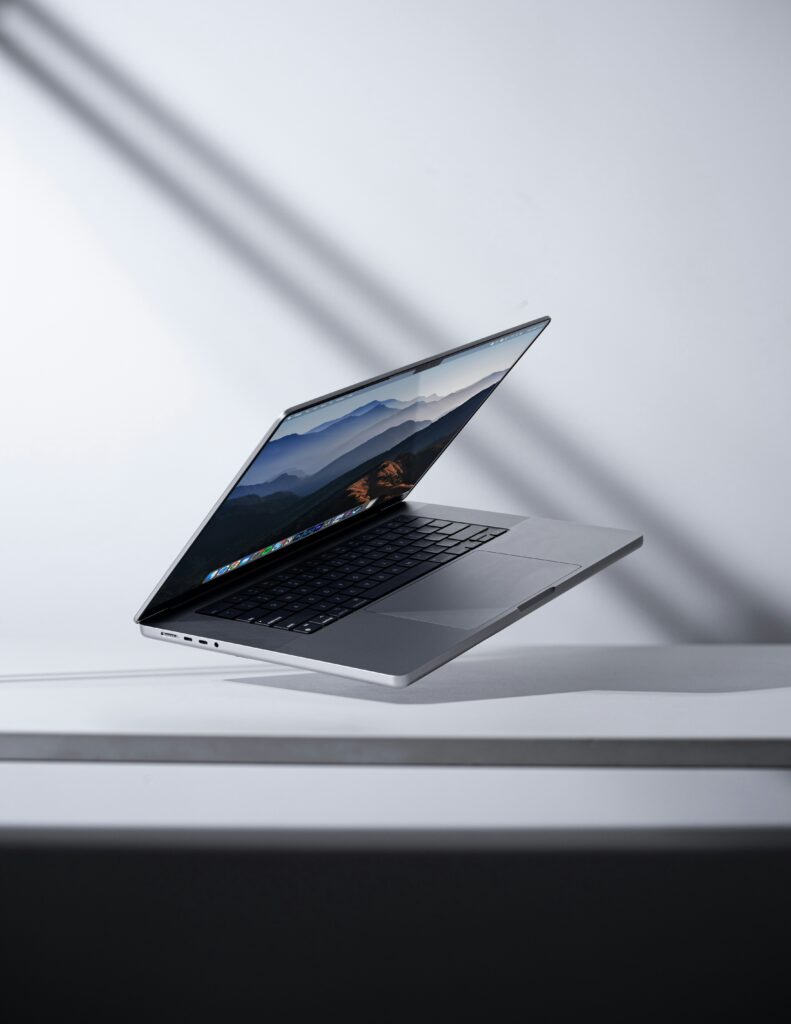
Mini-LED represents the ultimate evolution of LCD technology. Instead of using a few dozen or a few hundred LEDs to light the screen, Mini-LED displays use thousands of microscopic LEDs packed tightly together behind the panel.
This massive increase in LEDs allows for highly precise Full Array Local Dimming (FALD). A Mini-LED TV might have thousands of independent dimming zones. If a scene features a bright moon in a pitch-black sky, the TV can turn off the LEDs exactly behind the night sky while driving maximum power to the LEDs behind the moon.
This dramatically reduces blooming and creates a contrast ratio that rivals OLED, while pushing peak brightness to levels that OLED simply cannot match. Mini-LED is currently the undisputed champion for HDR (High Dynamic Range) content in brightly lit environments.
- Pros: Incredible peak brightness, superb contrast, excellent HDR performance, zero burn-in risk.
- Cons: Processing thousands of dimming zones can sometimes introduce slight input lag in game modes, minor blooming can still occur off-axis.
- Best For: High-end home theaters with ambient light, HDR enthusiasts, and PC gamers who want high performance without burn-in anxiety.
OLED: Infinite Contrast and Perfect Blacks
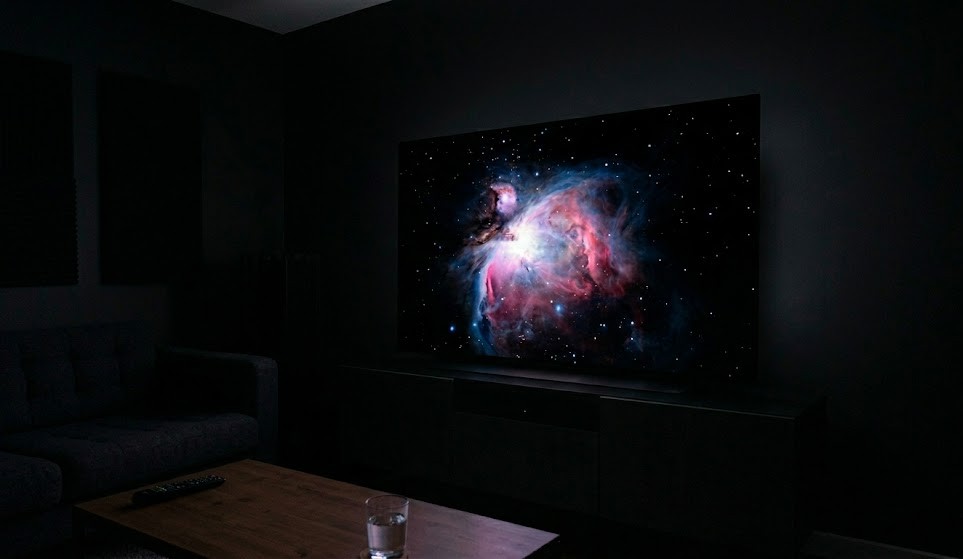
OLED (Organic Light Emitting Diode) is a fundamentally different technology from LCD, LED, QLED, and Mini-LED. OLED displays do not have a backlight at all. Instead, they are self-emissive.
Every single pixel on an OLED screen is its own microscopic light source. When an OLED pixel needs to display black, it literally turns itself off, emitting zero light. This creates “perfect blacks” and an infinite contrast ratio. The resulting image depth and three-dimensional pop are staggering, making OLED the long-standing favorite of home theater purists and cinephiles. Furthermore, because there is no backlight panel to pass through, OLEDs offer near-instantaneous pixel response times, which is incredible for fast-paced gaming.
The trade-offs? Traditional OLED panels (often called WOLED) cannot reach the blinding peak brightness of QLED or Mini-LED. Additionally, because the organic compounds degrade over time, OLED carries a small risk of burn-in—permanent image retention if static elements (like news tickers or gaming HUDs) are displayed at high brightness for thousands of hours. Modern pixel-refreshing software has mostly mitigated this, but the risk is not zero.
- Pros: Perfect blacks, infinite contrast, instant response times, perfect viewing angles.
- Cons: Lower peak brightness than Mini-LED, potential risk of burn-in, highly reflective glass.
- Best For: Dark room movie watching, high-end console gaming, and picture-quality purists.
QD-OLED: The Best of Both Worlds
QD-OLED (Quantum Dot OLED) is the newest and most advanced display technology on the consumer market. It attempts to marry the perfect contrast of OLED with the vibrant brightness of QLED.
Standard OLED displays use white light passed through color filters, which slightly restricts brightness and color volume at peak levels. QD-OLED uses a panel of pure blue OLED pixels to illuminate a quantum dot layer. This direct color conversion is highly efficient, allowing the screen to achieve significantly higher peak brightness and vastly superior color saturation in bright scenes compared to traditional OLED.
If you want the inky blacks of OLED but felt they were too dim for daytime viewing, QD-OLED bridges the gap. It is currently the pinnacle of premium display technology, though it comes with a matching premium price tag.
- Pros: Unmatched color volume, brighter than traditional OLED, perfect blacks, flawless viewing angles.
- Cons: Very expensive, slight text-fringing issues on PC monitors, burn-in risk still exists.
- Best For: Enthusiasts with high budgets, dedicated home theaters, and uncompromising gamers.
Display Technology Comparison
To help you quickly evaluate your options, use this breakdown of how the technologies stack up across key performance metrics.
| Feature | LED / LCD | QLED | Mini-LED | OLED | QD-OLED |
| Contrast / Blacks | Fair | Good | Excellent | Perfect | Perfect |
| Peak Brightness | Fair | Very Good | Outstanding | Good | Excellent |
| Color Accuracy | Fair | Excellent | Excellent | Excellent | Unmatched |
| Viewing Angles | Fair | Fair to Good | Good | Perfect | Perfect |
| Burn-In Risk | None | None | None | Low | Low |
| Price Range | Budget | Mid-Range | Premium | Premium | Ultra-Premium |
How to Choose the Right Display for Your Needs
Specifications are only useful if they apply to your real-world setup. Here is how to choose the right technology based on your specific viewing habits.
Best for Bright Rooms: Mini-LED or QLED
If your living room has large windows, skylights, or bright overhead lighting, standard OLED panels will struggle. The screen will act like a dark mirror, and the image will look washed out. You need raw brightness to cut through the glare. A high-end Mini-LED is the best choice here, offering blinding HDR highlights and deep blacks. If you are on a tighter budget, a standard QLED provides the necessary brightness and color pop at a much friendlier price.
Best for Dark Room Cinematic Viewing: OLED or QD-OLED
If you treat your living room like a movie theater—turning off the lights, pulling the blackout curtains, and settling in for a film—OLED remains king. In a dark room, OLED’s lack of a backlight means there is no light bleed into the black bars at the top and bottom of widescreen movies. If budget is no object and you want the absolute best picture currently available, upgrade to QD-OLED for the added color volume.
Best for Gaming: OLED, QD-OLED, or Mini-LED

Gamers have distinct needs: fast response times, high refresh rates, and impactful HDR.
- OLED / QD-OLED: Unbeatable for response times. Pixels shift colors instantly, resulting in zero motion blur. Perfect for competitive shooters and atmospheric single-player games.
- Mini-LED: Excellent if you play a single game with static HUD elements for thousands of hours (like an MMO) and want zero anxiety about burn-in, or if your gaming setup is in a sunlit room.
Best on a Budget: LED or Entry-Level QLED
You do not need to spend thousands of dollars to get a great picture. If you are buying a TV for a guest room, a dorm, or a secondary monitor for office work, standard LED or entry-level QLED panels offer massive screen sizes for very little money. The contrast won’t blow you away, but modern budget displays still offer 4K resolution and smart features that were considered premium just a few years ago.
FREQUENTLY ASKED QUESTIONS
Is OLED worth the extra money over QLED?
Yes, if you prioritize image depth, infinite contrast, and you mostly watch content in dim or dark rooms. However, if you watch TV in a bright, sunlit room, a high-end QLED or Mini-LED will actually provide a better, more visible experience than a standard OLED.
Does Mini-LED suffer from burn-in?
No. Because Mini-LED still uses an LCD panel illuminated by a backlight, it does not use the degrading organic compounds found in OLED panels. Mini-LED displays are entirely immune to permanent burn-in.
What is the lifespan of an OLED display?
Modern OLED panels are rated for a half-life of roughly 30,000 to 100,000 hours depending on the manufacturer and generation. For the average consumer watching a few hours of varied content a day, an OLED TV will easily last seven to ten years before noticeable brightness degradation occurs.
Can I use an OLED TV as a computer monitor?
Yes, but you must be mindful of your usage. Because desktop operating systems have static elements like taskbars and window borders, using an OLED as a primary work monitor increases the risk of burn-in. If you use it purely for PC gaming and media consumption, it is an incredible experience.
Will QD-OLED completely replace standard OLED?
Eventually, as manufacturing yields improve and costs come down, QD-OLED (and similar MLA-OLED technology) will likely become the standard for premium displays. For now, standard WOLED remains a highly competitive and slightly more affordable alternative in the high-end space.
CONCLUSION
Deciding between OLED, QLED, Mini-LED, and other screen types comes down to identifying your environment and your budget. There is no single “best” television or monitor—only the best one for your specific room.
If you want the ultimate cinematic experience in a dark room, OLED and QD-OLED are unmatched thanks to their perfect blacks and infinite contrast. If your room is bathed in sunlight, or if you want top-tier HDR brightness without any burn-in anxiety, Mini-LED is the reigning champion. And for those looking to maximize their screen size without emptying their bank account, traditional LED and QLED displays remain excellent, practical choices. Assess your lighting, measure your space, and let your viewing habits guide your purchase.